A dance school website the owners update from a Google Sheet
Brand identity, a new Squarespace site, class timetables that run from a Google Sheet, and AI-assisted tools that turn a day of blog writing into twenty minutes. Built for Innovation Dance Studios, Finchley and Ealing.
Innovation Dance Studios has been teaching children and adults in Finchley and Ealing for over fifteen years. I have worked with the directors for years on all sorts of projects, and when the website came up the brief was bigger than a website: the brand needed pulling together, and the two things that change most often, the class timetables and the news posts, needed to be something the school could do themselves, quickly, without calling me.
The obvious answer would have been WordPress with a timetable plugin and a blog. I have maintained enough of those to know how that ends: plugin updates that break the page a week before term starts, and a site nobody on the team dares touch. The school needed something simpler than that, not more complicated.
What I built
The brand first
Before the site, the identity. We worked through the purple that already belonged to the school, a logo mark that could sit in a circle at the top of every page and on a leotard, and a small set of type and colour rules so that the site, the socials and the printed timetables would look like one organisation. Everything below is built on that.
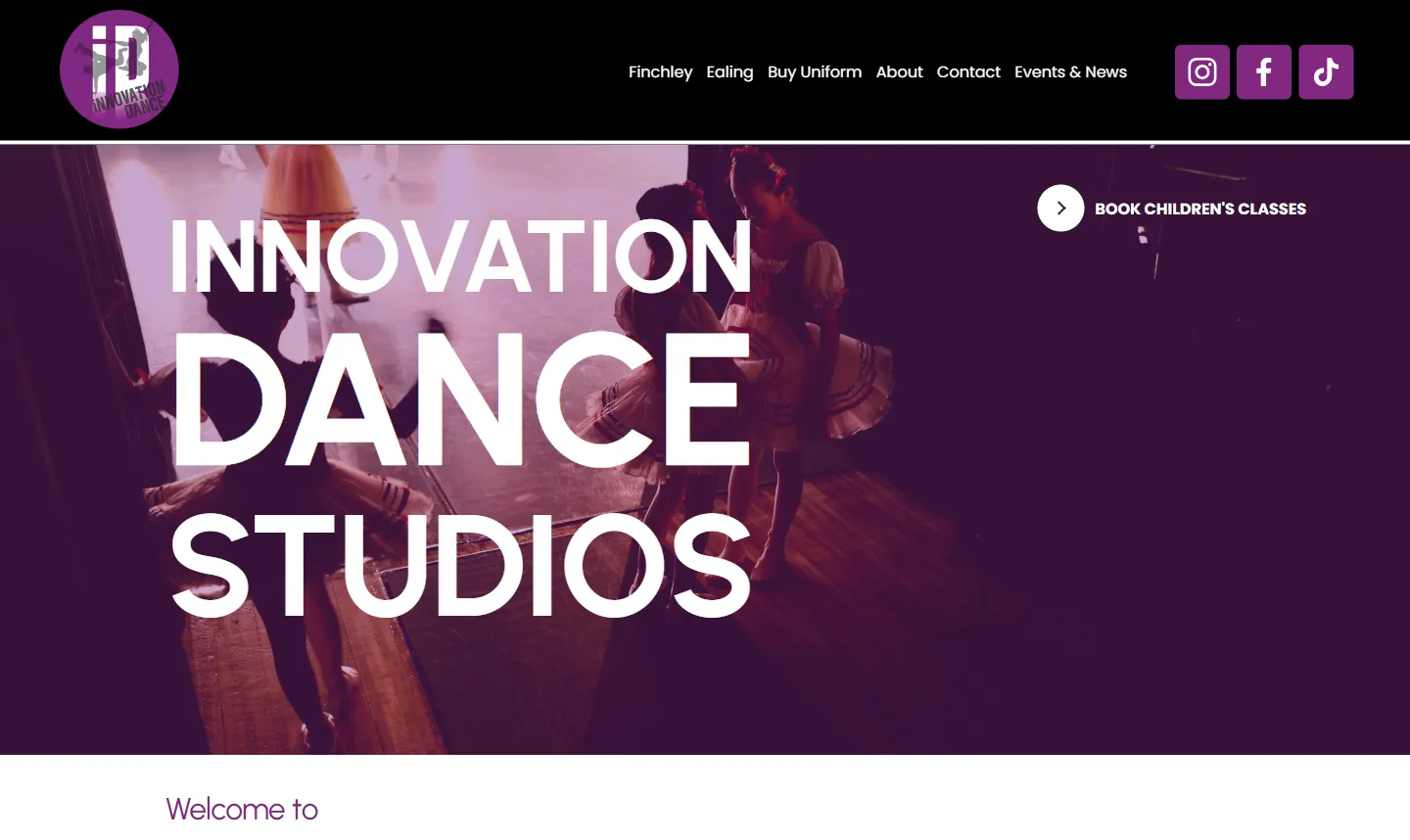
A Squarespace site with two front doors
The school runs two studios, and parents only care about theirs. So the Squarespace site is organised by studio: Finchley and Ealing each get a home page, a children’s timetable, an adult timetable and their own booking route, with term dates kept per studio because they differ. The home page does the minimum a parent needs: which studio, which timetable, book. Class booking hands off to the school’s existing studio management system rather than reinventing it.
Timetables that live in a Google Sheet
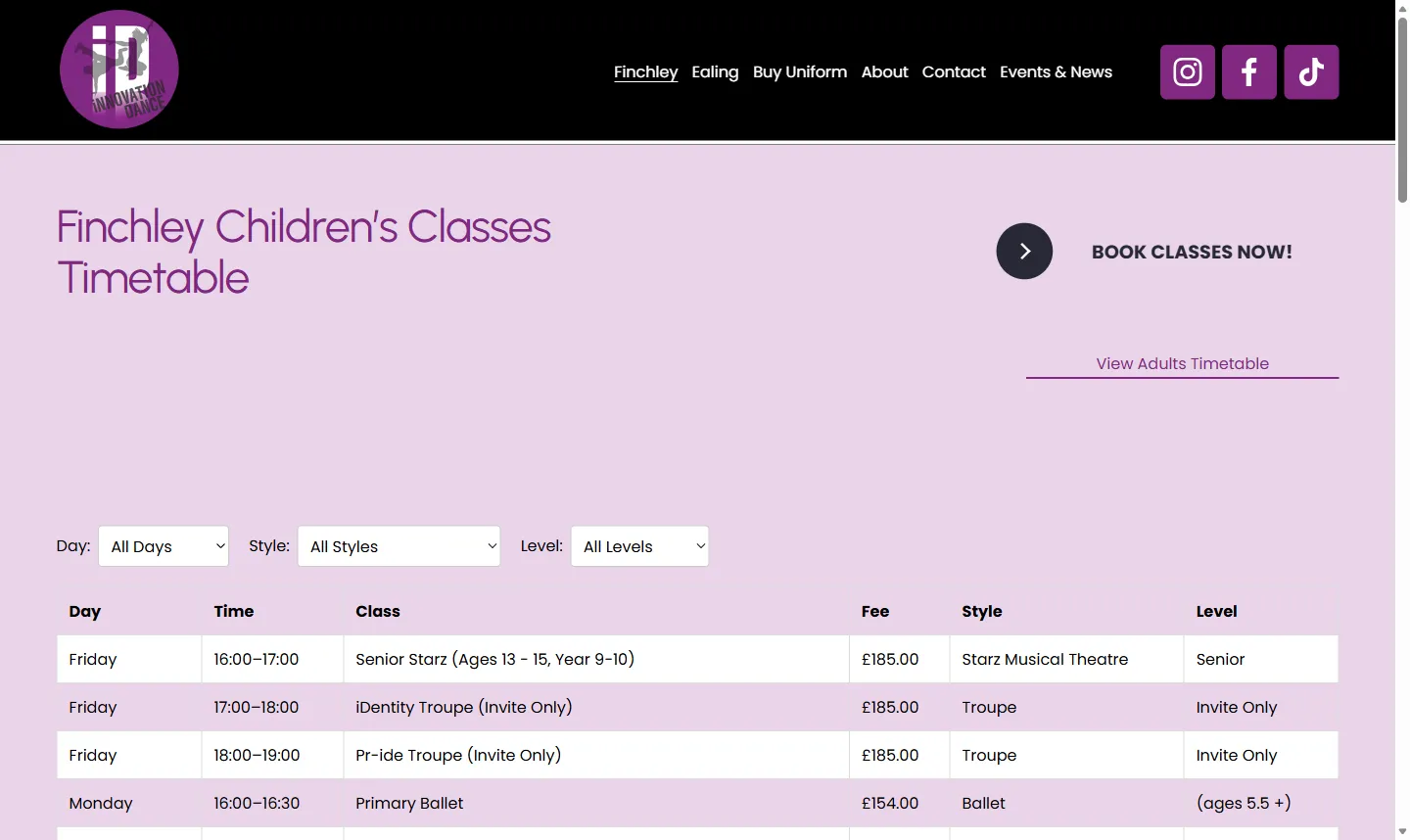
This is the part that matters most to the school. Each term the classes shift: a new grade, a moved slot, a fee change. Editing forty-odd rows in a page builder is slow and error-prone, and it is exactly the job that used to wait for me.
Instead, the timetable is a Google Sheet. The school updates the sheet each term, in a spreadsheet they already know how to use, and the website table updates from it. A small piece of code on the timetable page reads the sheet and draws the table, with filters for day, style and level so a parent can go straight to “Saturday, Ballet, ages 3 to 5” without scrolling.
The decisions worth defending:
- The sheet is the source of truth, not a copy. There is no import step and no “publish” button to forget. If it is right in the sheet, it is right on the site.
- No plugins, no second CMS. The page is plain Squarespace with one code block. There is nothing to update and nothing that can silently stop working after a platform change.
- Filters on the page, not in the sheet. The sheet stays a flat list, one row per class, which is the shape the school finds easiest to maintain. The sorting and filtering happen in the browser.
Blog posts in twenty minutes, not a day
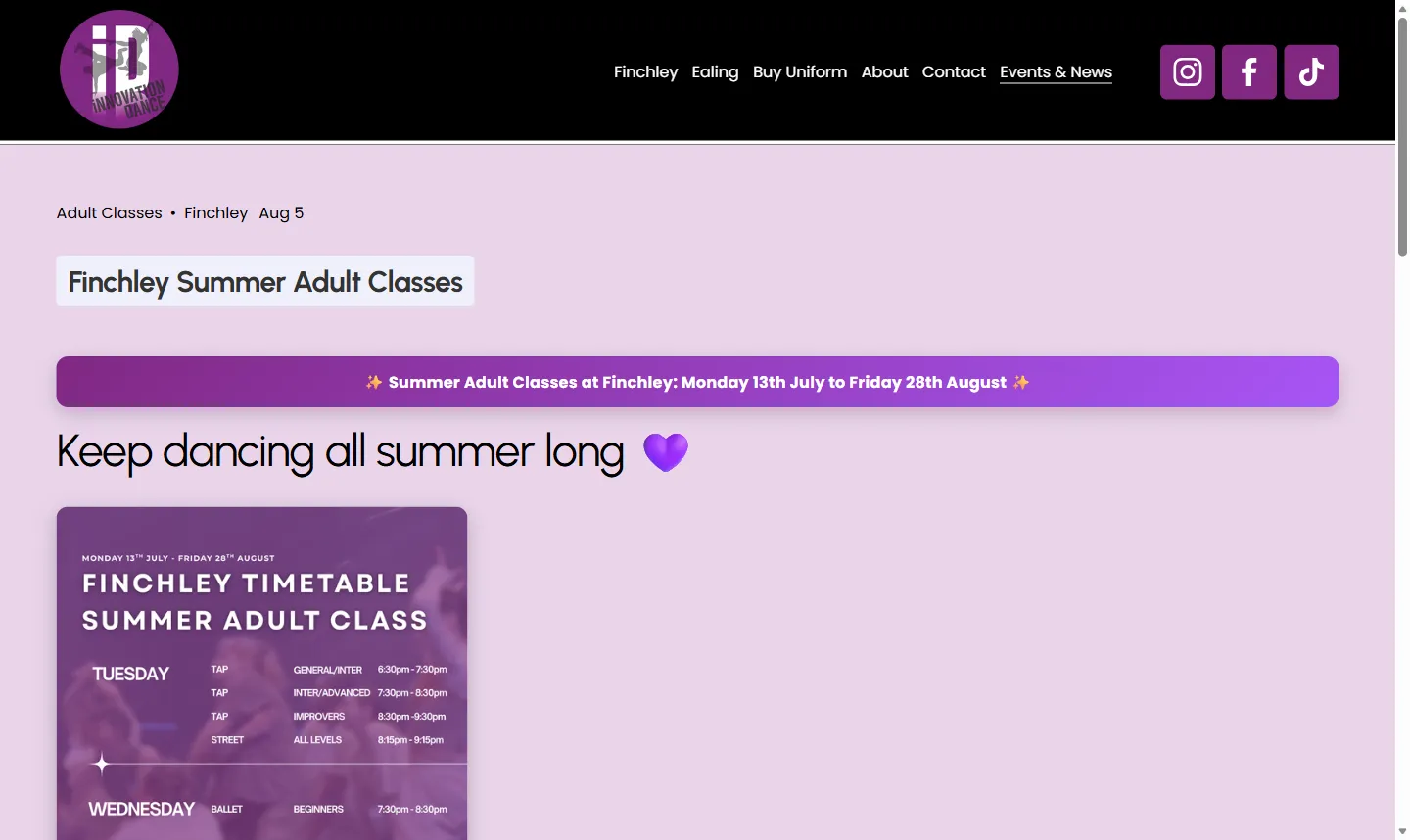
The school posts about shows, workshops, holiday camps and summer classes, and each post has to be on brand, correctly formatted, tagged and illustrated. Before, a single post could take someone a full day between the writing, the layout and the images.
I worked with the school to build a set of Claude skills: reusable, written instructions that know the brand, the tone, the post structure and the tags, so that a director can give the bare facts (“summer adult classes, Finchley, these dates, these classes”) and get back a finished, on-theme post ready to paste in. The same job now takes about twenty minutes, and the posts look like they came from the same place, because they did.
The result
A site that reads as one brand across two studios, timetables the school changes itself from a spreadsheet each term, and a news process that went from a day to twenty minutes. The school is not dependent on me for the day-to-day, which was the point. In the director’s words:
Chris has worked with us for years on all sorts of projects, and our new website is the best thing he’s built for us yet. He delivered it really quickly and exactly as we wanted it, and he went far beyond a standard website build. He redesigned our branding, set up our class timetable so it runs from a Google Sheet (so we can update it ourselves without touching the site), and even built AI-powered tools that let us create polished blog posts for our shows, workshops and holiday camps in minutes. He was completely honest about pricing from the start and took the time to explain exactly how everything works, so we’re not dependent on him for day-to-day changes. Highly recommended
Got a job that sounds like this?
Let's talk about what you need