Running my own business on a CRM I built myself
Help Technical runs on a Power Platform CRM I built for myself: pipeline, projects, tasks and renewals in one place. The same kind of build I do for clients, dogfooded daily.
The problem
Before this, running Help Technical meant being split across five places at once. Enquiries arrived by email, Fiverr message and WhatsApp; the tracking lived in an Excel workbook; deadlines lived wherever I’d last written them down. Chaotic and frustrating, and exactly the mess I get hired to fix for other people.
The uncomfortable part is how normal that is. Growing businesses so often run on infrastructure nobody planned: spreadsheets put together in spare moments, processes held in one person’s head. I’d watched clients live it, and here I was living it myself.
What I built
One funnel instead of five channels
A CRM built on Power Apps. Everything now goes into it, whatever channel it arrived by: every enquiry tracked through the pipeline until it’s won, lost or, as the card on my dashboard honestly puts it, ghosted. Work comes in from UK clients and from international platform work alike, so quoted values are tracked in both pounds and dollars.
The Today screen
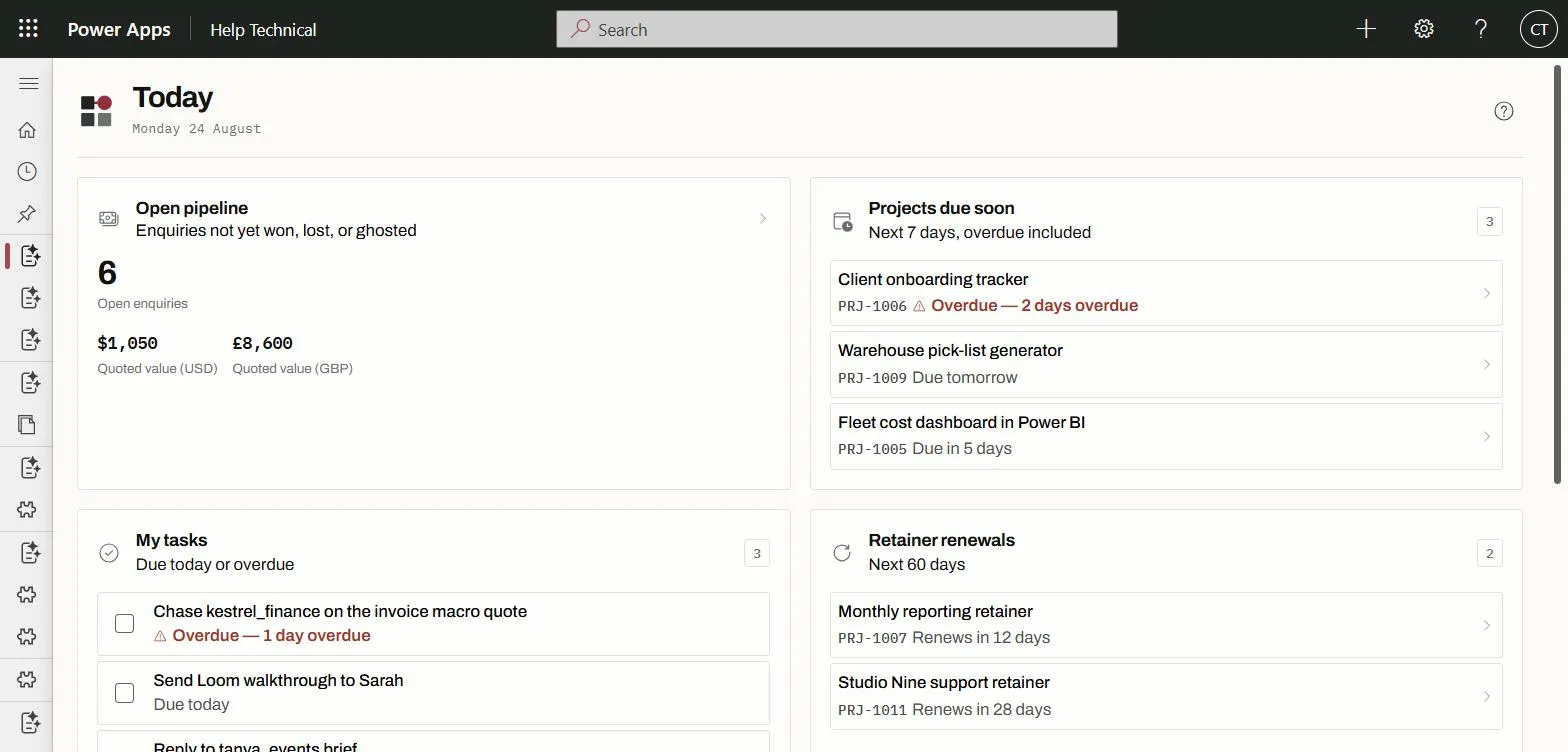
One look tells me what today is: the open pipeline and what it’s worth; projects due in the next seven days, overdue included; tasks due today or overdue; renewals coming up; offers awaiting a client’s response. It updates me with tasks automatically, and it works on my desktop and on my phone, the same app whether I’m at the desk or out.
The Dashboard
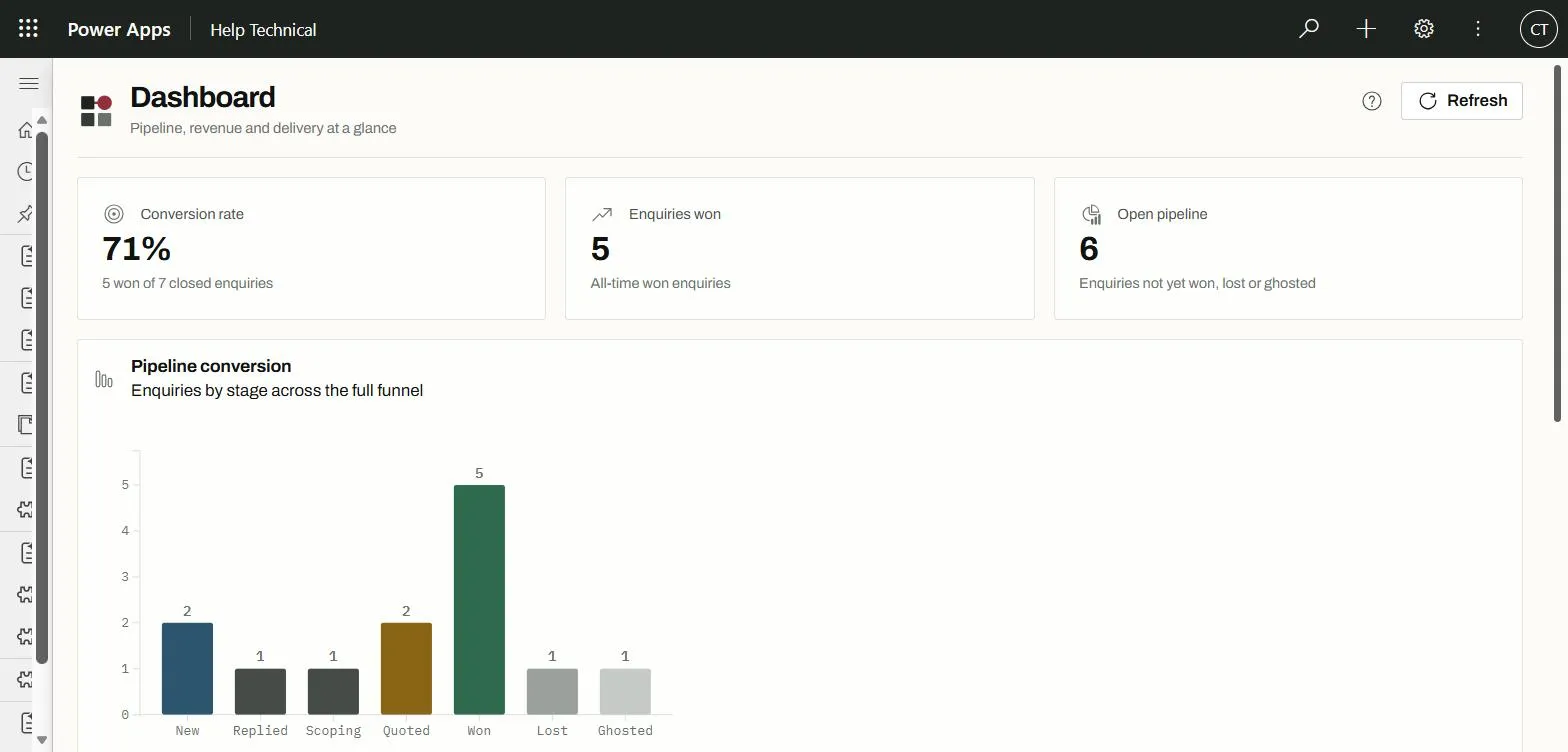
Where Today is about what needs doing, the Dashboard is about how the business is doing: conversion rate, enquiries won, open pipeline, the funnel by stage, revenue by month (pounds and dollars kept apart, never added together) and estimated hours against actual per project. Built with the same Power Apps tools; no separate reporting product.
Sized for a one-man band, deliberately
I came to this after building much the same thing for a few clients and realising I needed my own advice. A CRM felt like a big solution for a one-man band. In truth, the size of the tool isn’t about headcount: it’s about how many directions you’re being pulled in. A high workload split across five channels was pulling me apart; one system carrying all of it is what lets one person handle the load.
The result
The business runs out of one screen instead of five channels. Nothing waits in a WhatsApp I haven’t scrolled back to; the app tells me what needs doing rather than the other way round.
And it earns its keep twice: once because the admin is handled, and once because it’s a living demo of the work. When someone asks what a Power Platform build looks like, I don’t send a brochure: I show them the thing running my own company.
Got a job that sounds like this?
Let's talk about what you need